Shop Floor & MES
Operator View, Factory Live View, traceability, routing.
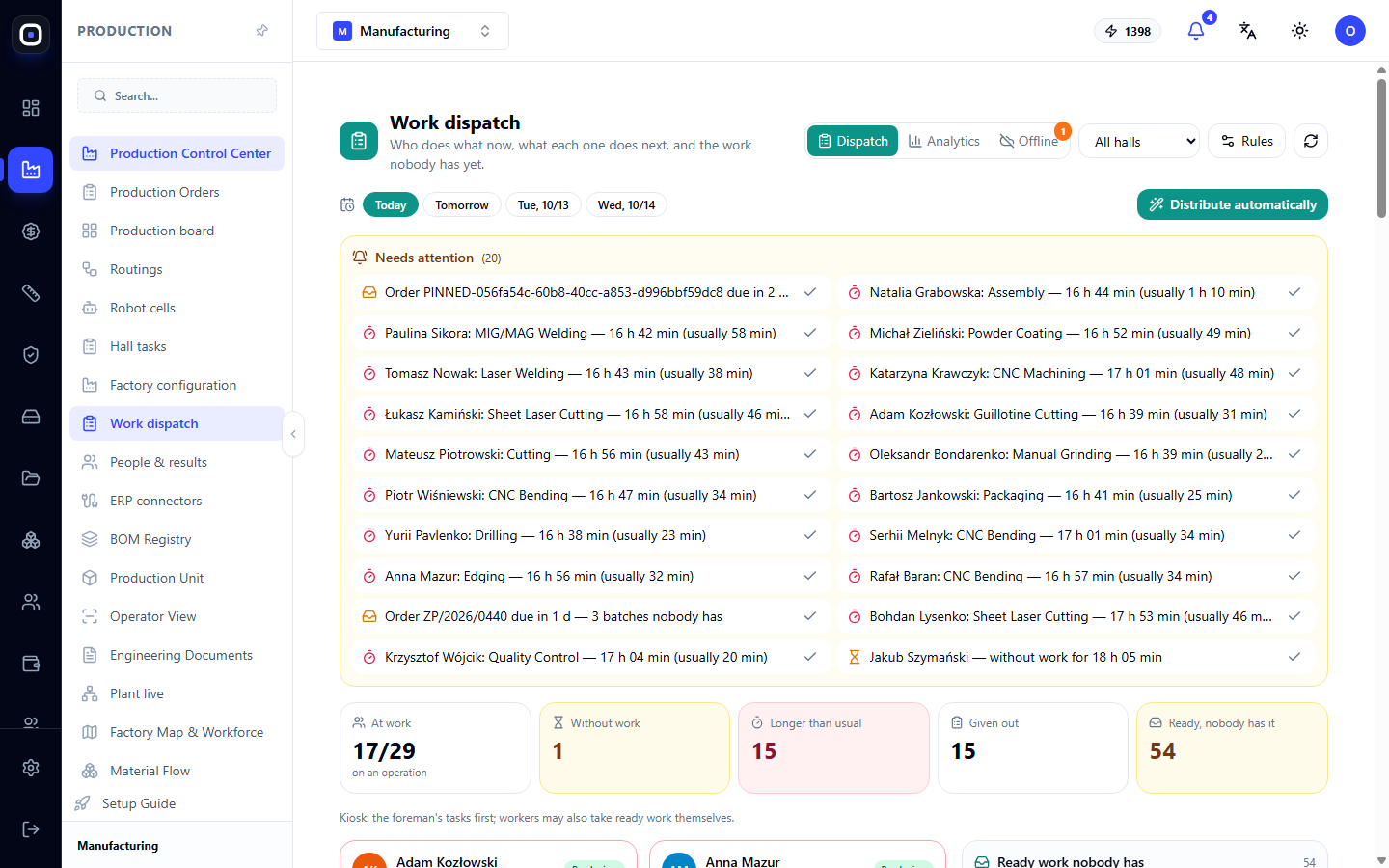
Work Dispatch: Who's Doing What Now and Who Gets the Next Operation
Foreman's workstation: alerts needing attention, employee cards with current operations, a pool of ready work, automatic dispatch, forward planning, and delay analytics.
1 min read · 2026-10-12
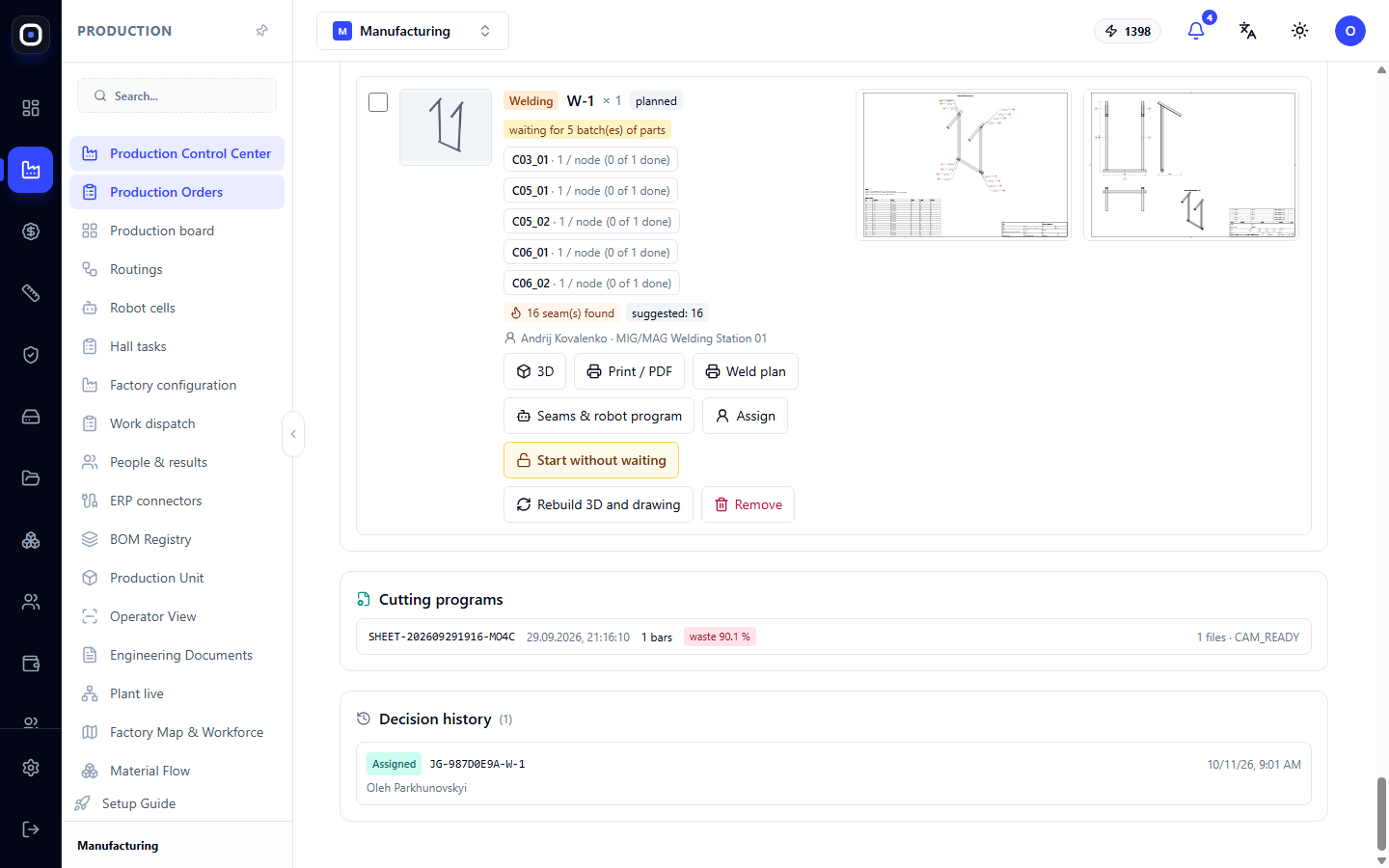
Welding on Assemblies: Why the Welder Only Sees What the Foreman Assembled
What to weld with what is decided by the foreman, not the welder. How to create an assembly that the welder sees on the terminal, how the system protects against welding the wrong parts, and how to disable this if your process is different.
1 min read · 2026-10-12
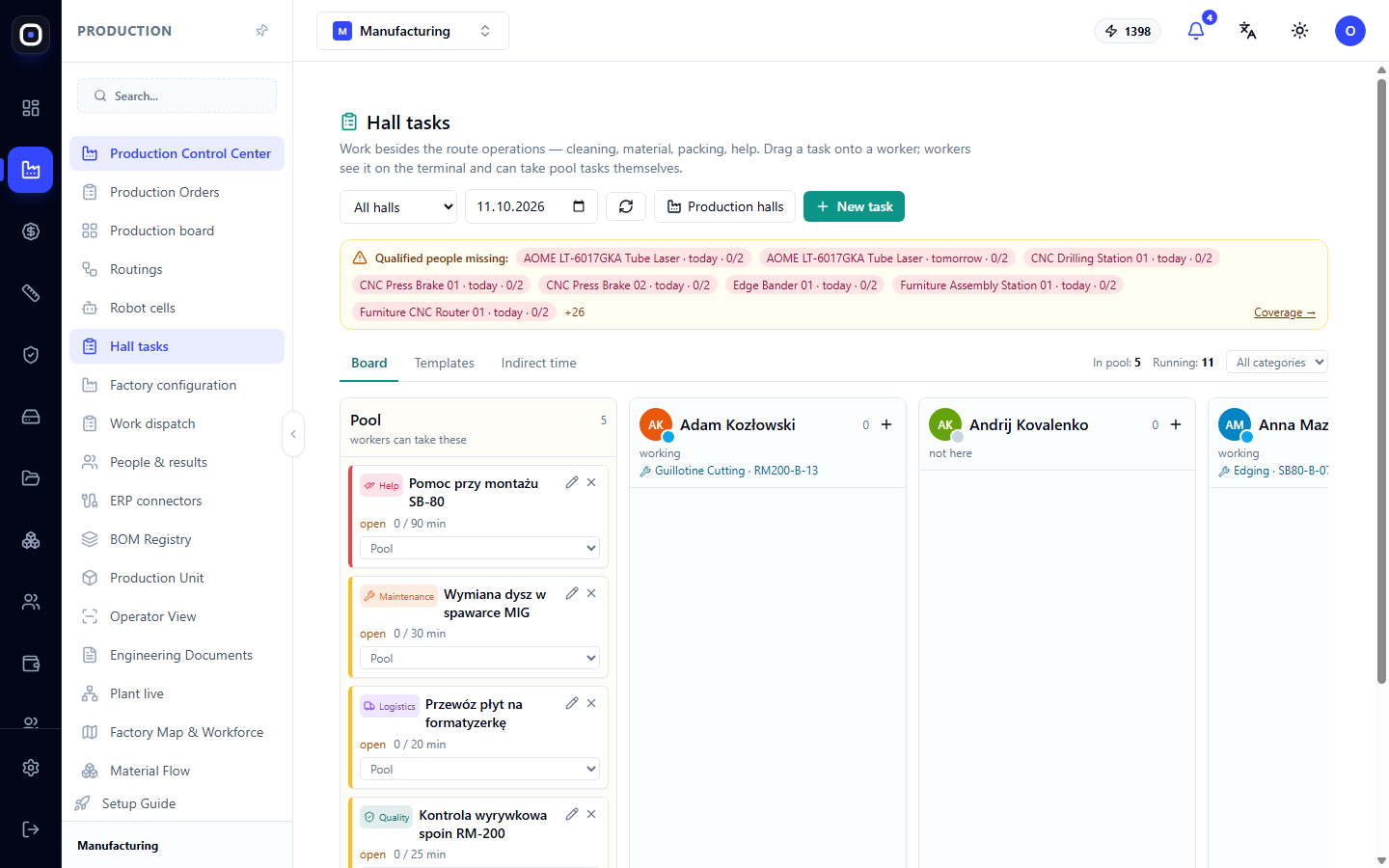
Shop Tasks: Cleaning, Materials, Assistance, and Other Off-Route Work
A task board for work not included in the production route: how to create tasks, assign them to employees, set up recurring templates, and track indirect time.
1 min read · 2026-10-12
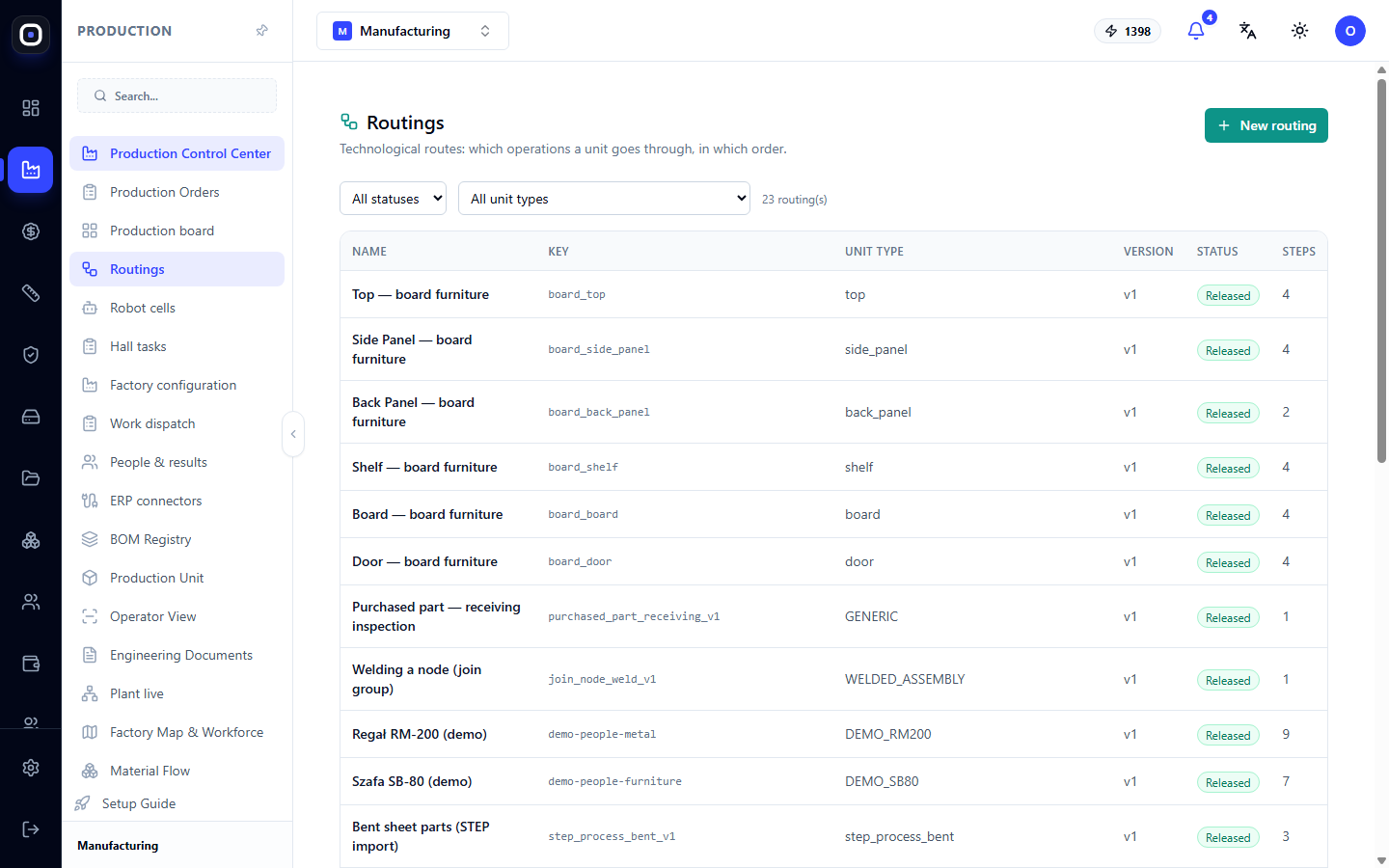
Routings: how to describe the operations a part goes through
A technological routing defines the operations and their sequence for each unit type. Learn how to read the routing list, create a new one, add steps, and release a routing for production.
1 min read · 2026-10-12
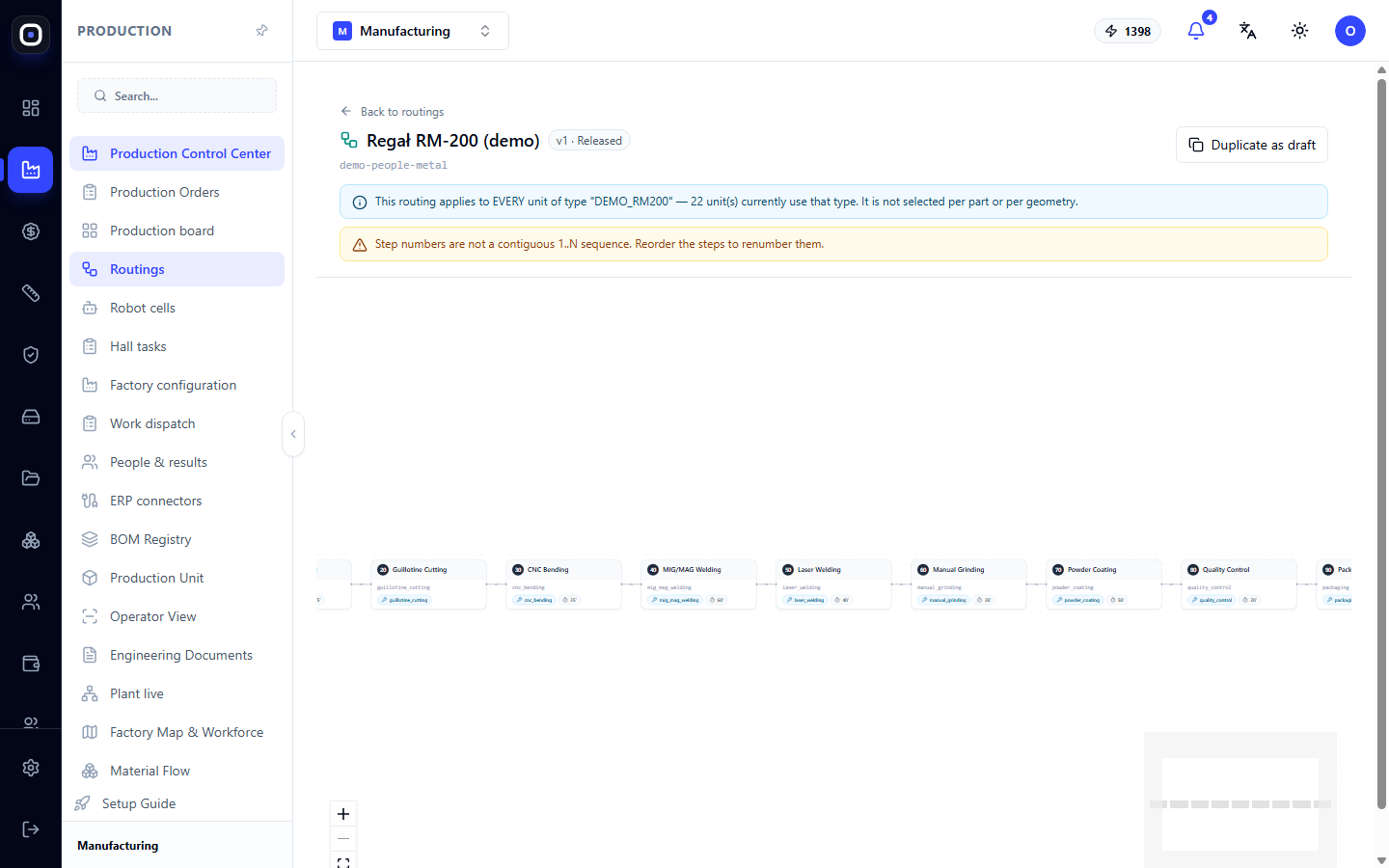
Routing Designer: How to Assemble a Workflow from Steps
Visual routing designer: steps as a diagram, properties of each step, warnings before release, duplicating as a draft, and releasing a new version.
1 min read · 2026-10-12
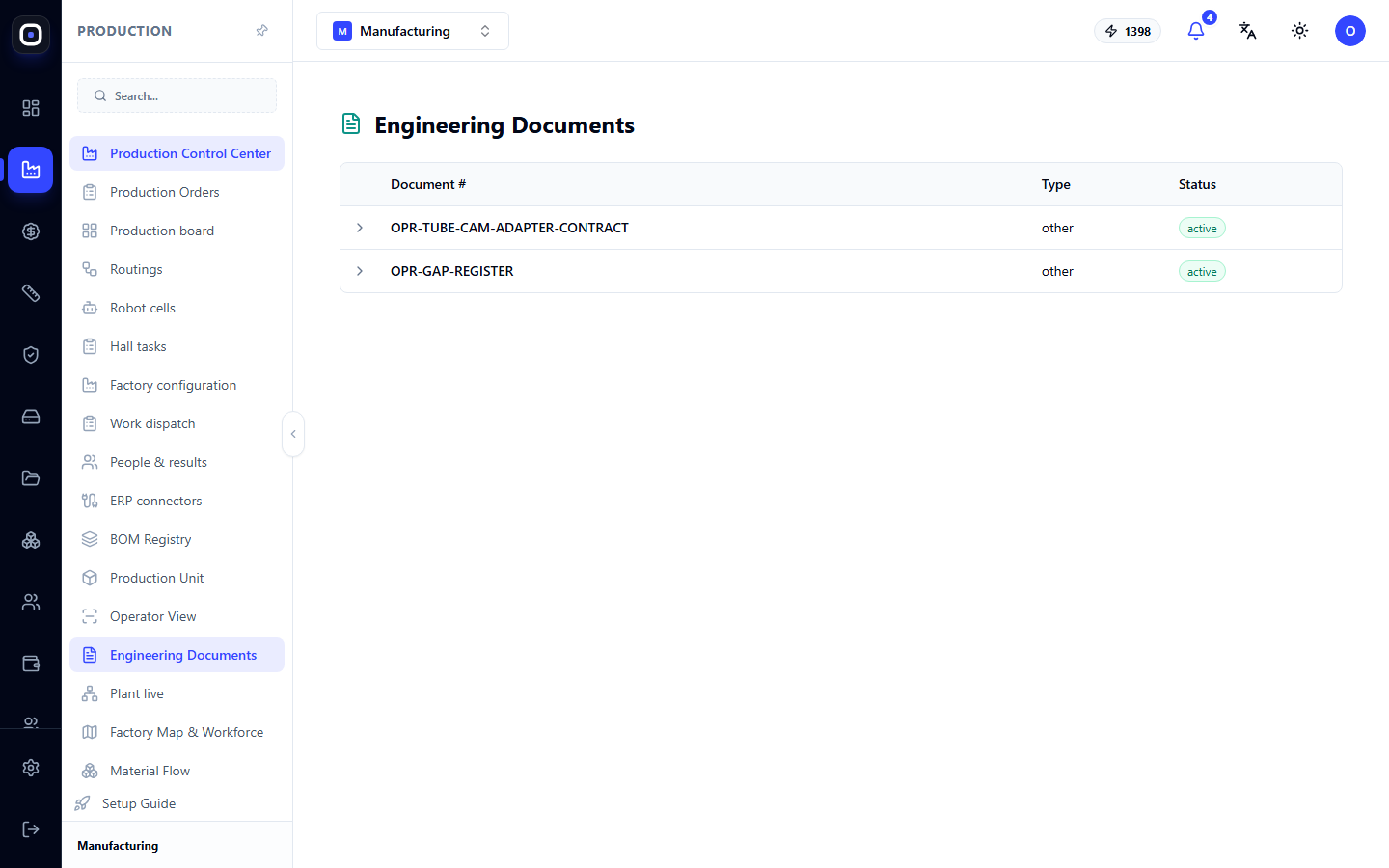
Engineering Documentation: Production Document Register
A list of engineering documents in the workspace with their number, type, and status. Learn what the register is for, how documents relate to routings, and where to find part drawings.
1 min read · 2026-10-12
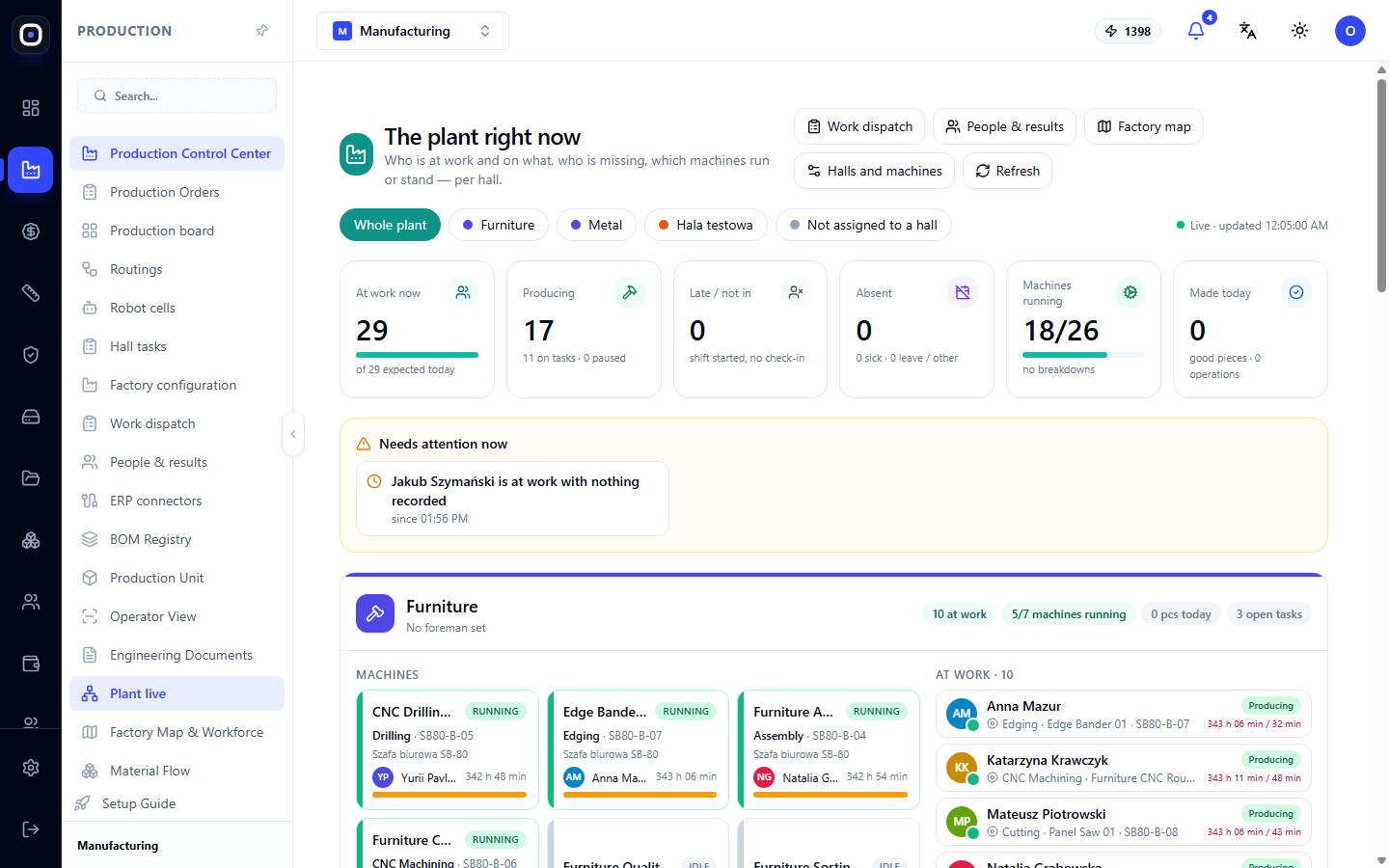
Factory Live: Who's at work and which machines are currently running
This page shows the factory's current status: how many people are on-site, who is producing, who is late, and which machines are running or idle—separately for each hall.
1 min read · 2026-10-12
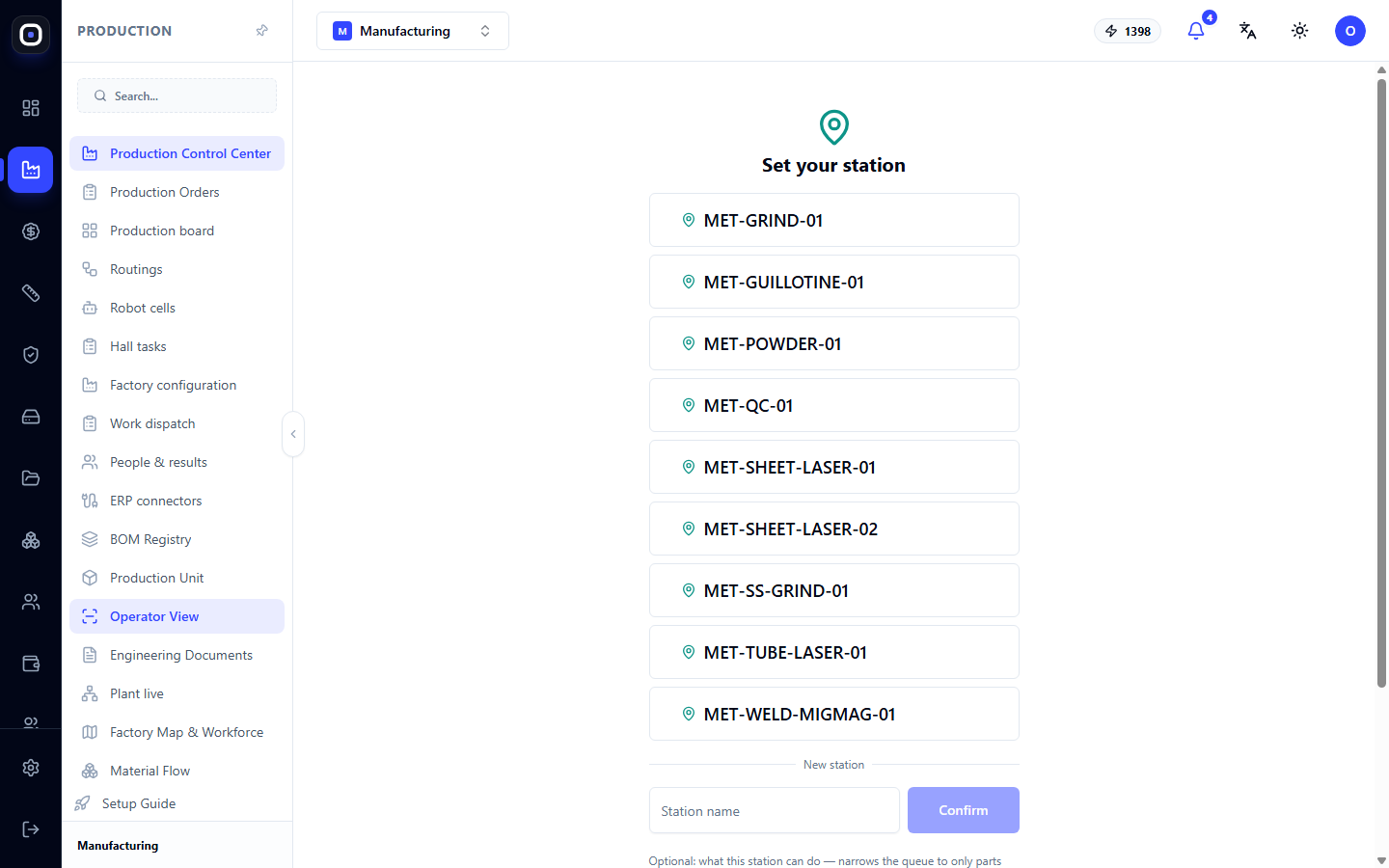
Operator Workstation: How to Work with Batches at the Machine
The screen for the person at the machine: station selection, machine and batch scanning, work list, Start and Complete buttons, scrap accounting, pauses, drawings, and 3D.
1 min read · 2026-10-12
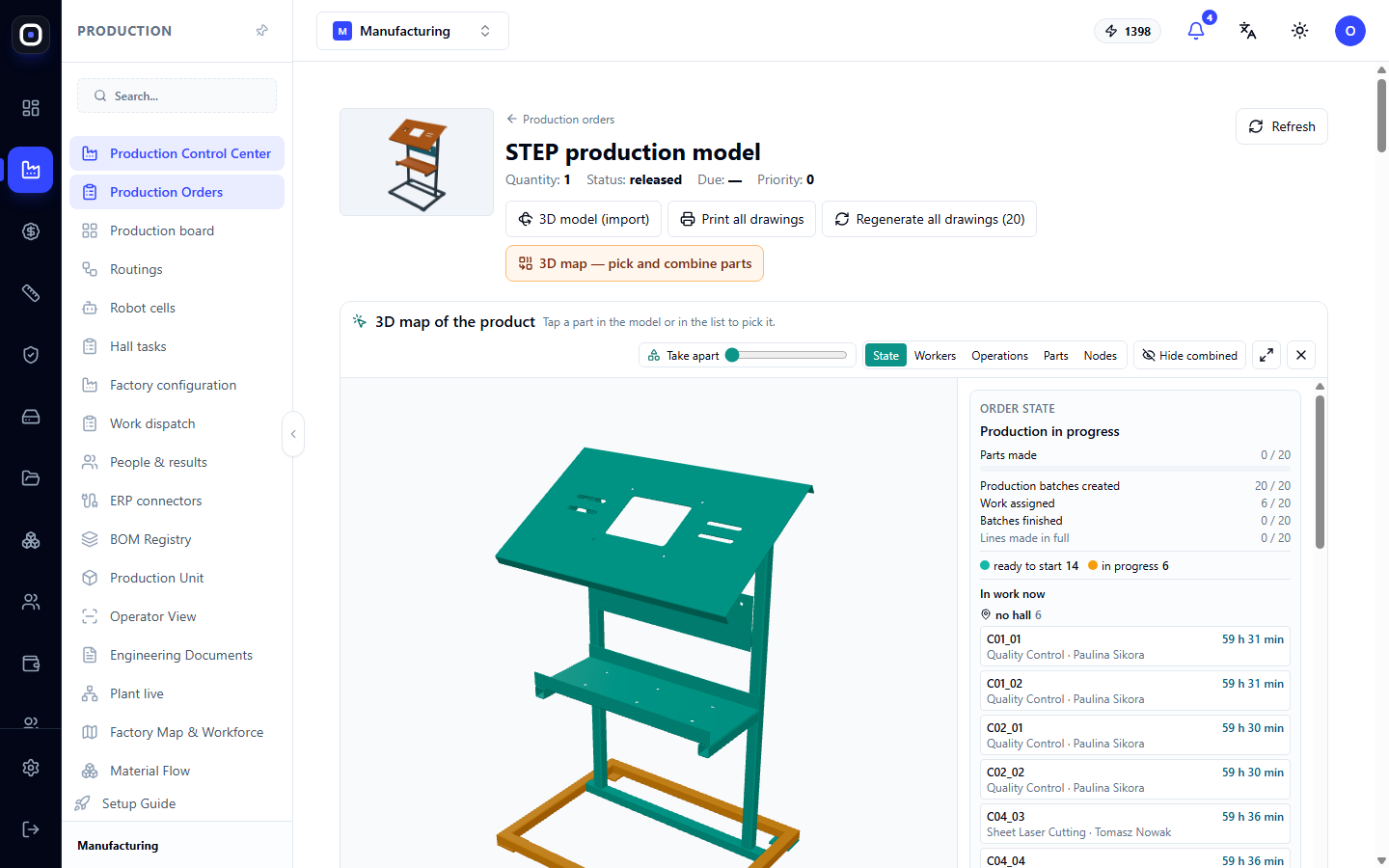
Foreman's Cockpit: One Order, All Decisions On the Fly
3D product map, status of each batch, what's blocking the order, and foreman's actions: assign workers, replace defects, re-manufacture, change route, combine parts into an assembly.
1 min read · 2026-10-12
Oprela Floor without internet: how to work when there's no connection in the workshop
Offline mode for the workshop app: how to enable it for a hall, what to do before a shift, how actions are saved on the phone and sent automatically, and what the foreman does if something doesn't match up.
1 min read · 2026-10-12
Oprela Floor: Shop Floor App for Employees
What an employee sees on the kiosk and on their phone: card, QR, or PIN login, clock-in, tasks and plan, documents and 3D, pause, parts for an assembly, vacation, timesheet, and schedule.
1 min read · 2026-10-12
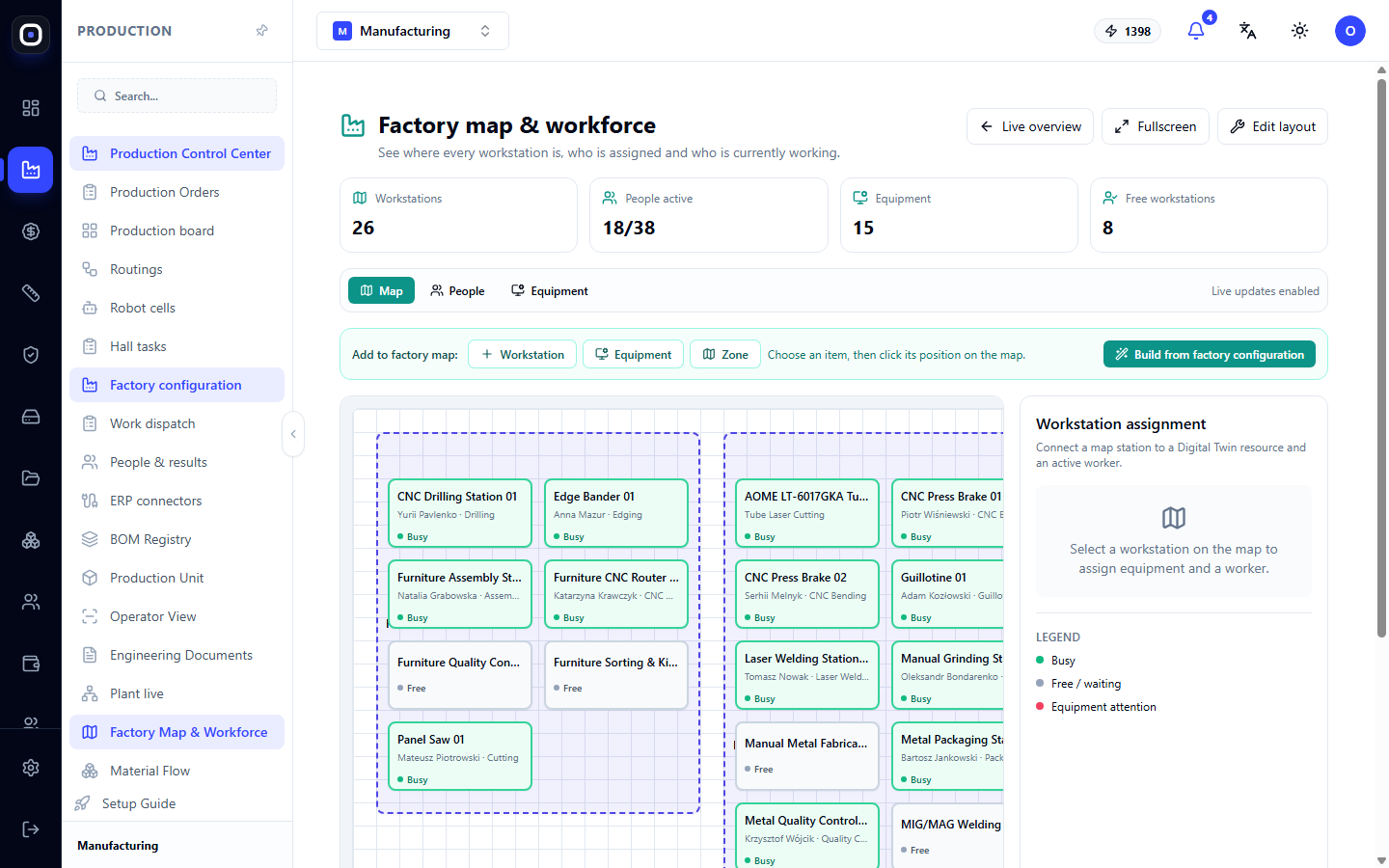
Production and Personnel Map: Where every machine stands and who works on it
A factory floor plan with workstations, equipment, and zones. It shows which spots are occupied, which are free, and who is working where. The map can be automatically generated from the factory configuration.
1 min read · 2026-10-12
Notifications, Delay Reasons, Norm Suggestions, and Automatic Assignment
Four tools that complement work dispatch: alerts for foremen, "why longer" questions with root cause analysis, suggestions for outdated time norms, and automatic task assignment.
1 min read · 2026-10-12