Engineering Documentation: Production Document Register
A list of engineering documents in the workspace with their number, type, and status. Learn what the register is for, how documents relate to routings, and where to find part drawings.
The "Engineering Documentation" page is a register of documents that production relies on: instructions, standards, specifications, and technical requirements. It answers a simple question: what documents do we have, and which ones are current?
The page is intentionally simple. It's a list, not an editor.
Where to find the page
In the left-hand menu, open Production → Engineering Documentation. The page URL ends with …/erp/production/documents.
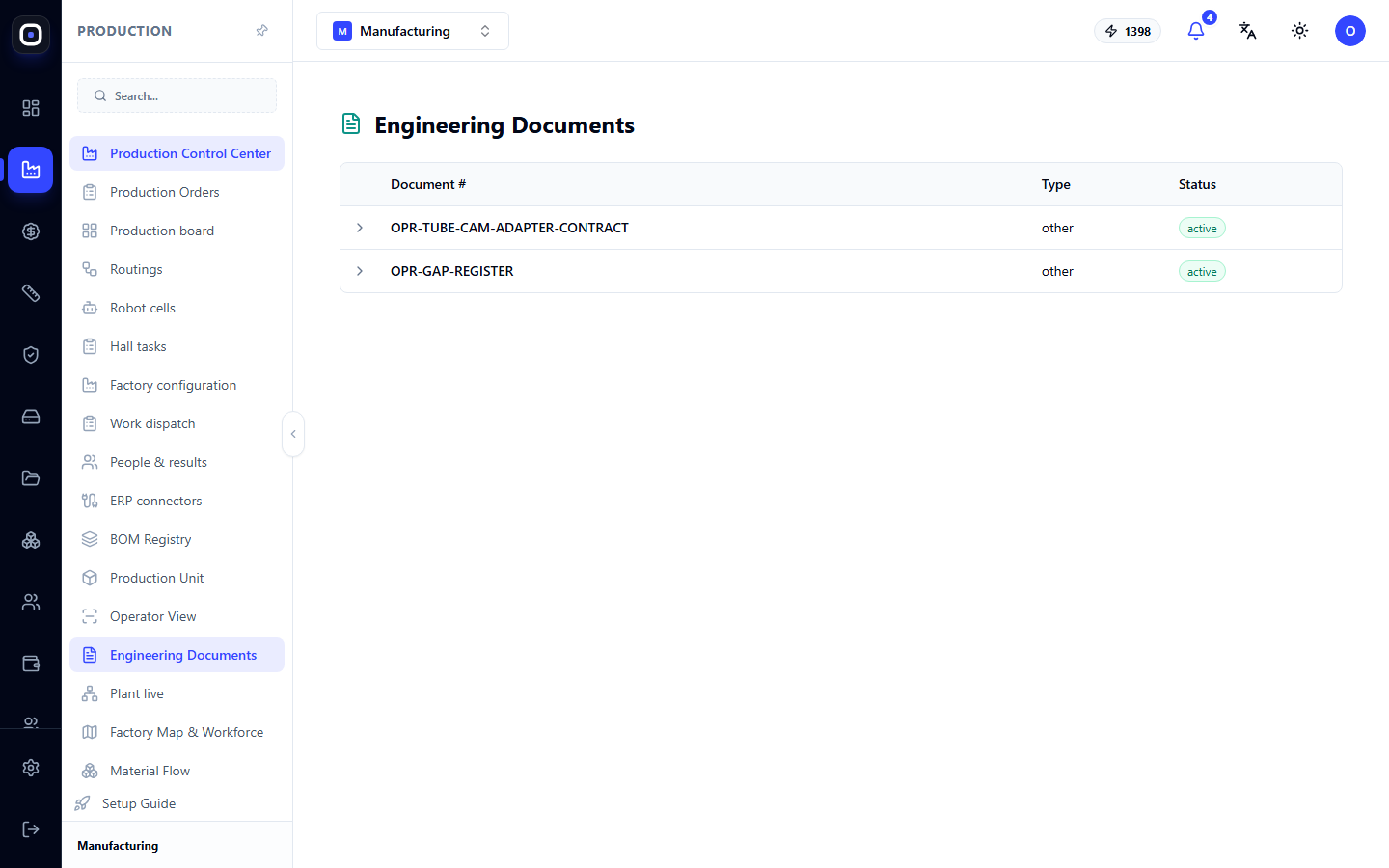
What the table shows
The register has three columns:
- Document No. — a unique number by which the document is found and referenced.
- Type — the type of document: drawing, CNC program, work instruction, quality instruction, or other.
- Status — whether the document is current. For example,
activemeans it can be used.
The number of documents in the register is also shown on the "Production Control Center" page in the "Engineering Documentation" block.
Why the register is needed
One number instead of "that file from the email"
When a document has a number in the register, it can be referenced unambiguously. The operator, technologist, and quality controller are all referring to the same document, not three different file versions.
Connection to routings
For each step of a routing, you can specify a required document: a drawing, CNC program, work instruction, or quality instruction. Then, when the operator opens a batch, they see exactly what is needed for that operation.
Revisions
Documents change. A new revision does not overwrite the previous one: the old one remains in history. This way, you can always find out which version of the instruction was used to produce a batch six months ago.
How this differs from part drawings
This is a common source of confusion, so it's worth clarifying.
- Engineering Documentation (this page) — general documents: standards, instructions, technical specifications, data exchange contracts.
- Drawings (a separate "Drawings" page) — drawings of specific parts and assemblies. The system generates them from 3D models.
- Order Documents — shop floor sheets and assembly instructions. These are opened using buttons next to the order on the production orders page.
If you are looking for a drawing of a specific shelf, go to the "Drawings" page or to an expanded batch in the operator's workstation. If you are looking for an instruction on accepting purchased parts, come here.
Typical workflow
- Open Production → Engineering Documentation.
- Find the document by number.
- Check the status: only active documents can be used.
- In the routing, specify this document type as required for the corresponding step.
Frequently Asked Questions
The register is almost empty. Is this normal?
Yes, if you've just started. The register fills up over time as you create instructions and standards.
Where are the drawings for my parts?
On the "Drawings" page. This register does not contain them.
The operator doesn't see the instruction at the machine
Check the routing step: it must specify the required document. Without this, the system doesn't know what to show.
Can I delete an outdated document?
An outdated document is not deleted but set to an inactive status. It remains in history because previous batches might have been produced using it.