Oprela Manufacturing for Design and Process Engineers
From STEP model to bill of materials, drawings, flat patterns, routings, and machine programs without manual re-entry. How the system eliminates routine tasks for engineers and preserves factory knowledge.
Engineers in make-to-order manufacturing spend an astonishing amount of time not on engineering, but on re-entering data: details from the model into the bill of materials, dimensions into drawings, quantities into cutting tasks. Each re-entry is an opportunity for an error that will be found in the workshop when it's already too late.
Oprela Manufacturing builds these documents from the model, and the engineer reviews and makes decisions.
For the Designer
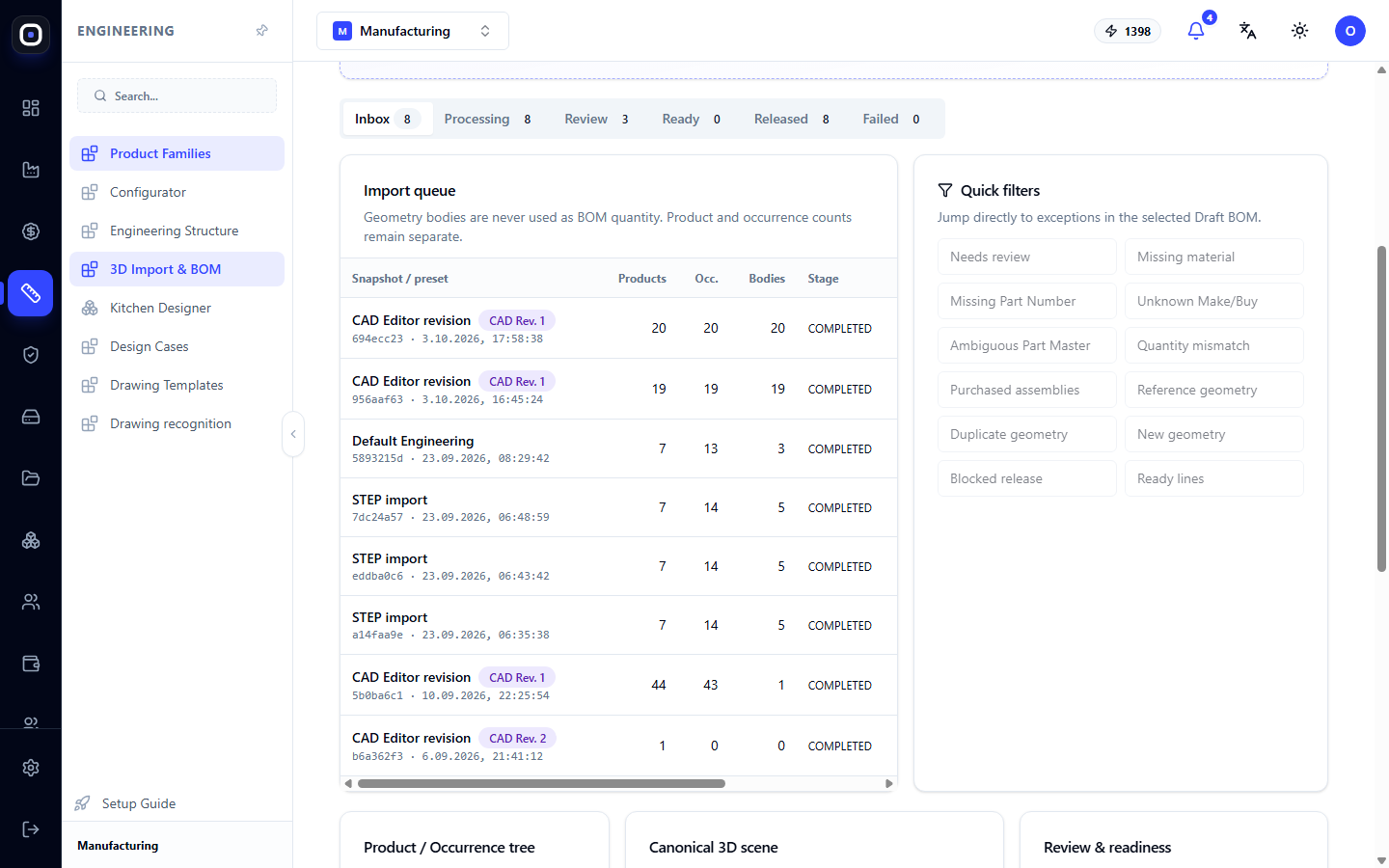
3D Import. You upload a STEP model from any CAD system. The system breaks it down into assemblies and parts, calculates quantities, recognizes sheet metal parts and profiles (pipe, angle, channel), and suggests materials. Quick filters immediately highlight problems: parts without material, ambiguous matches, duplicate geometry.
Drawing Recognition. If you only have a photo or scan of a drawing instead of a model, the assistant extracts dimensions and manufacturing data from it. You confirm the findings instead of re-entering them.
Product Family Configurator. If you produce variations of a single product (different sizes, configurations), describe the family with parameters and rules once. A new variation does not require a new drawing.
Kitchen Designer and Public Studio. For furniture and similar products, modules are arranged in a room plan, and the client can even assemble the product themselves on your website.
For the Process Engineer
Bill of Materials (BOM). The BOM registry shows what each product consists of and how it is manufactured. A draft from the import becomes a released BOM after your review.
Manufacturing Drawings. Drawings of parts and assemblies are built from the model. If the model changes, the system shows which drawings are outdated.
Flat Patterns. For sheet metal parts, the system calculates the flat pattern and the sequence of bends for the bending operator.
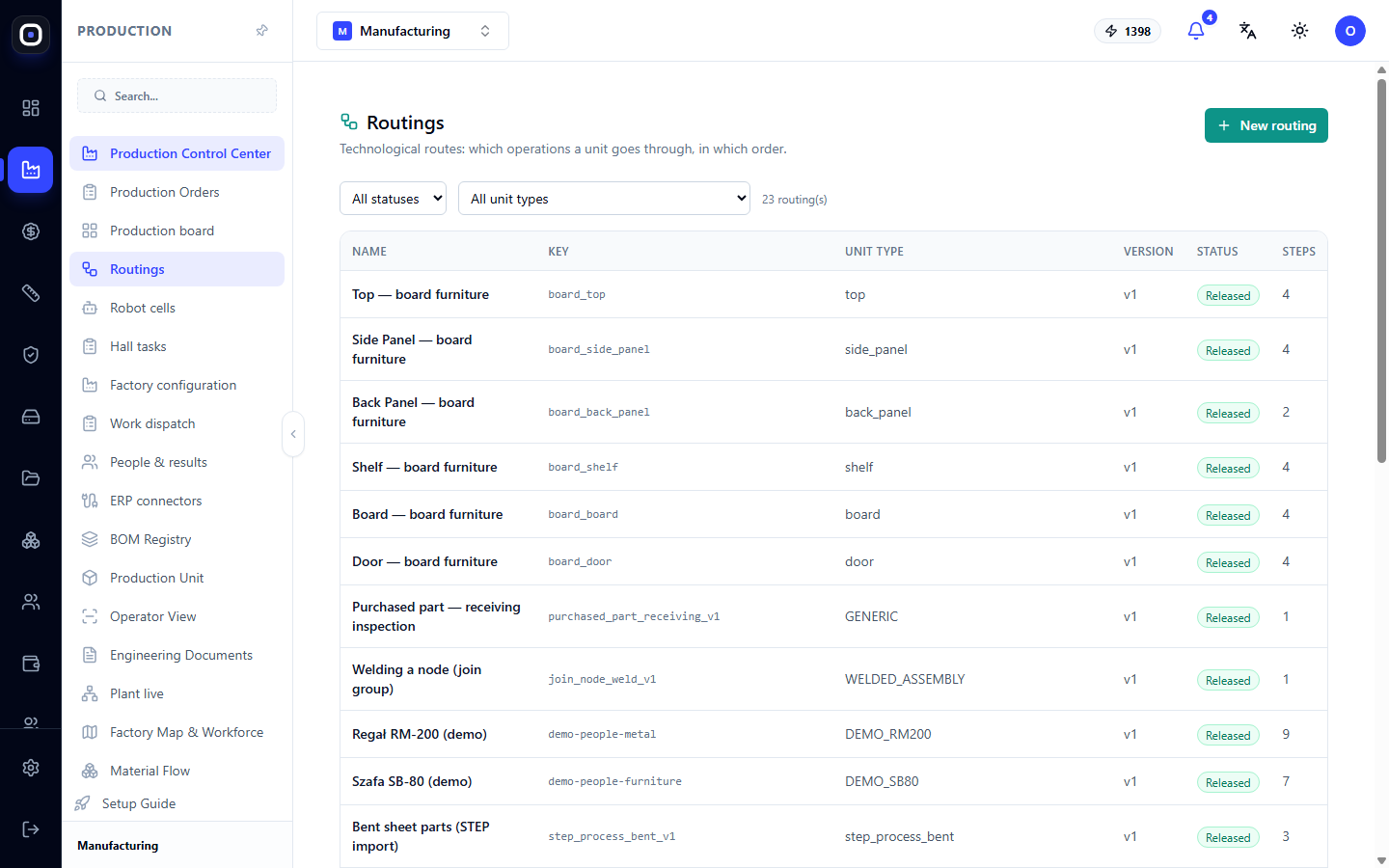
Routings. You describe the operations each type of part goes through. The visual routing editor allows you to assemble the technological process from steps, like a flowchart.
Operation Times. Time is calculated from the part's geometry (cut length, number of bends, weld length) and the parameters of the specific machine. You don't have to manually enter standards for each part. More details — How operation time is calculated.
Nesting. Parts are laid out on sheets and pipes, the system plans supplies taking into account stock remnants and returns usable remnants to inventory.
What Changes
- The bill of materials appears minutes after receiving the model, not a day of manual work.
- Re-entry errors disappear because there is no re-entry.
- Factory knowledge (routings, standards, rules) is stored in the system, not in one person's head.
- The workshop receives drawings and 3D models that are guaranteed to correspond to the current version of the model.
Scope of Responsibility
The system prepares, the engineer decides. A bill of materials, routing, or drawing becomes active only after being released by a person, and every change after release is visible in the history.