Oprela Manufacturing for Production Sales Managers
Estimate costs from photos, sketches, or 3D models, send proposals with 3D viewing via a link, offer options and quantities, and track opens and acceptances. Learn how managers can respond to clients faster than competitors.
In custom manufacturing, it's often not the cheapest who wins, but the one who sends a clear proposal first. While a manager waits for a technologist to calculate, the client has already received prices from two competitors.
Oprela Manufacturing provides managers with tools to respond quickly and accurately with pricing.
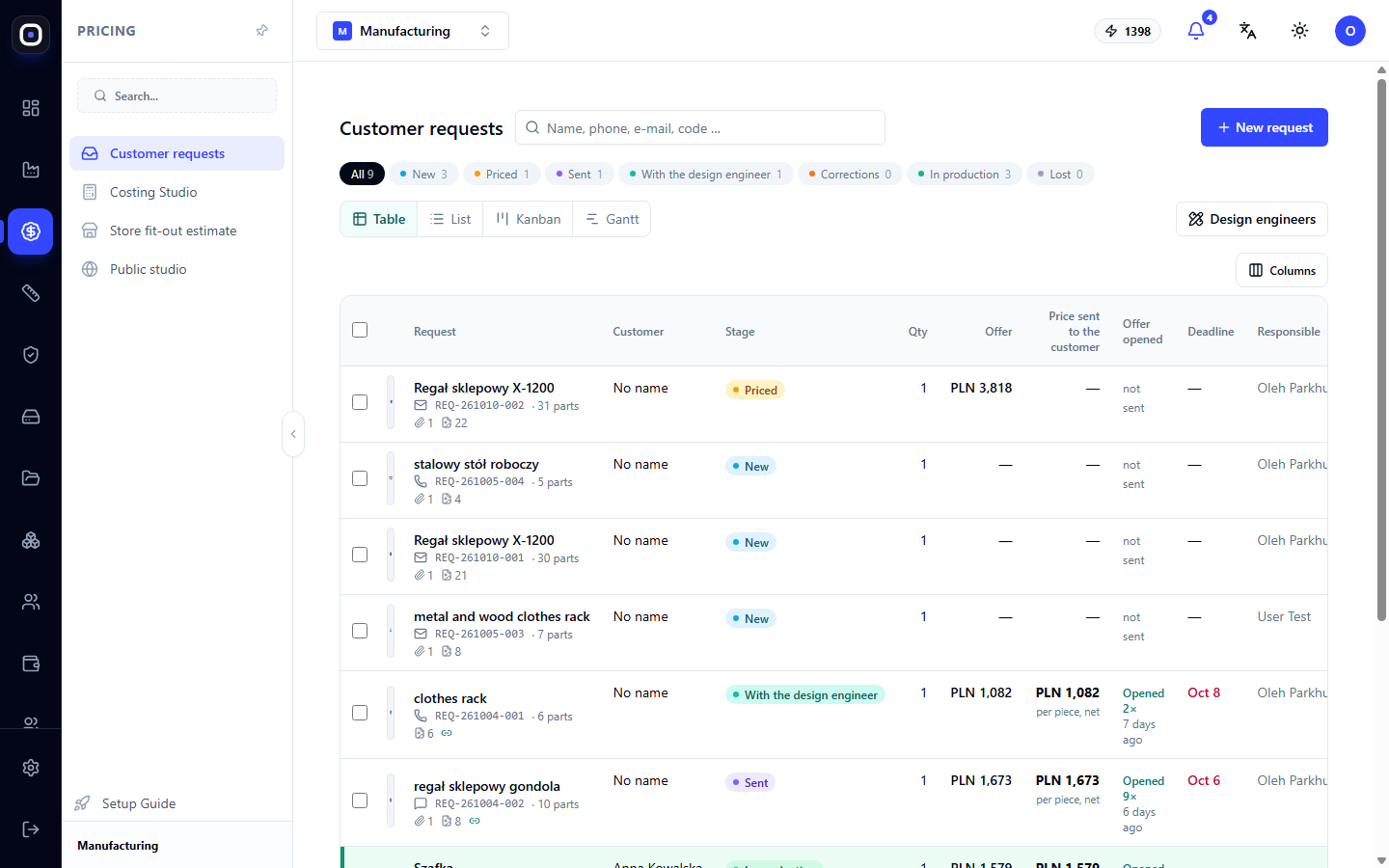
All Requests in One Queue
Client Requests — all inquiries from new to those transferred to production. The status is visible for each: awaiting estimate, estimated, proposal sent, client opened, accepted. No request gets lost in email.
Estimate from What the Client Sent
- Just a photo or description? A quick estimate in four steps: the assistant recognizes the design, you confirm materials and dimensions, the system builds an editable 3D model and calculates the cost based on your factory's data.
- Have a drawing? Drawing recognition extracts dimensions and data.
- Have a 3D model? STEP import provides an accurate specification and precise price.
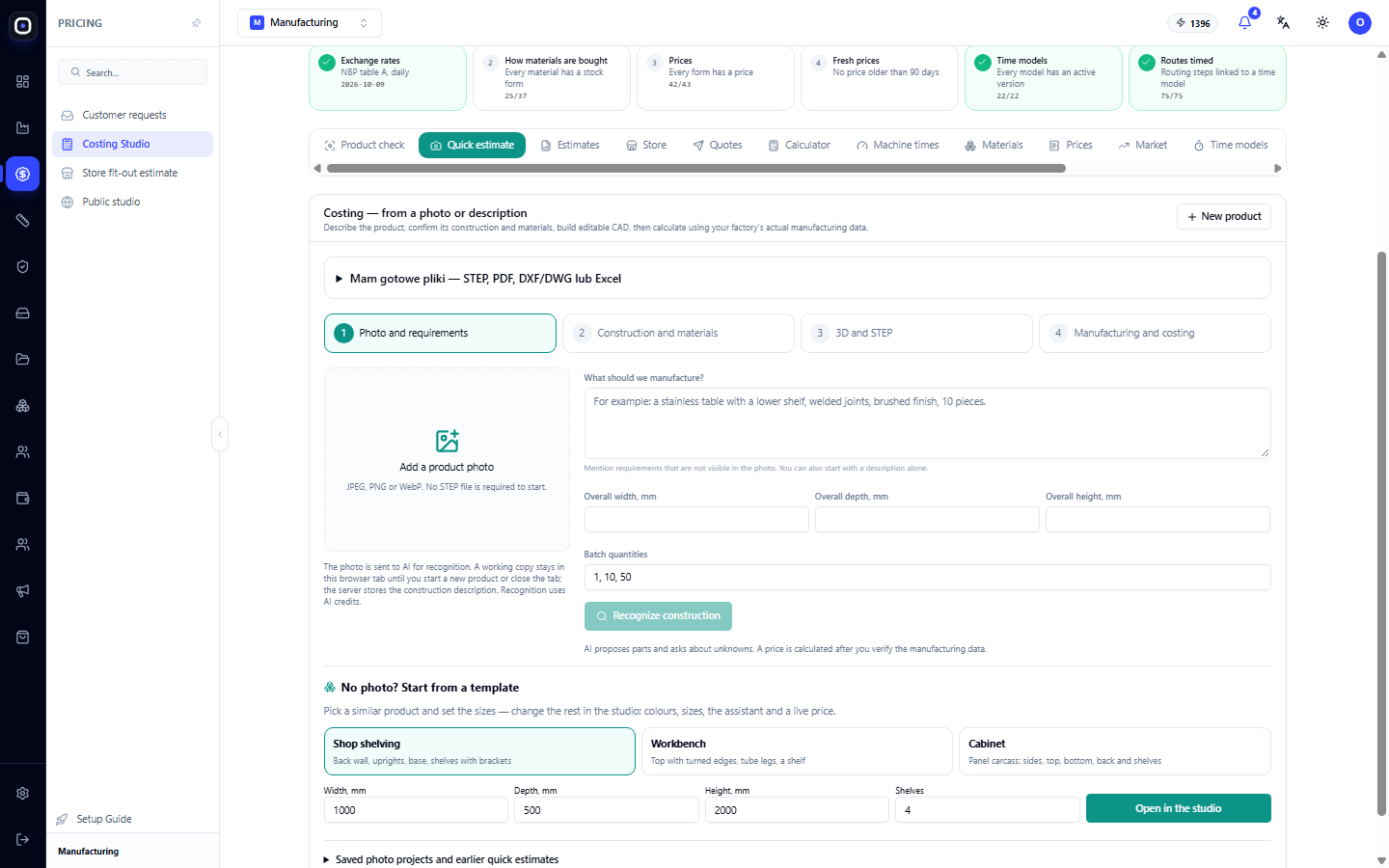
Price Calculated by More Than One Person
The cost is calculated using your material prices, rates, and operation times on your machines. If your factory is used to calculating in its own way, the Factory Calculator allows you to transfer your logic from a spreadsheet to the system: cost lines, rate tables, formulas. A new manager gets the same price as the most experienced one.
A Proposal the Client Opens via a Link
A client proposal is not a PDF in an email, but a page accessed via a private link:
- price, quantities, and options;
- a 3D view of the product that the client can rotate;
- the ability to ask questions or request changes;
- acceptance of the proposal directly from the page.
You see when the client opened the proposal — the best moment to call. The printed version includes a QR code to the same page.
Options and Quantities
Clients rarely know the exact quantity. Show the price per piece for 10, 50, and 100 units, or two execution options — a cheaper one and a better one. The client makes the decision themselves, and you don't have to recalculate everything from scratch.
From Acceptance to the Workshop
An accepted proposal is transferred to production without rewriting: the model, specification, and price are already in the system.
Public Studio
If you sell standard products with options, the client can assemble the product themselves on your website and send a request with pre-filled parameters.
What the Manager Gets
- A response to the client on the same day.
- A price trusted by both the manager and the owner.
- Proposals that look professional and sell themselves.
- Visibility into which clients are interested and which are not.