Product Families: parametric products
A Product Family is a parametric 'recipe' for a product: code, name, versions, and a set of parameters/features/rules from which the system generates specific configurations.
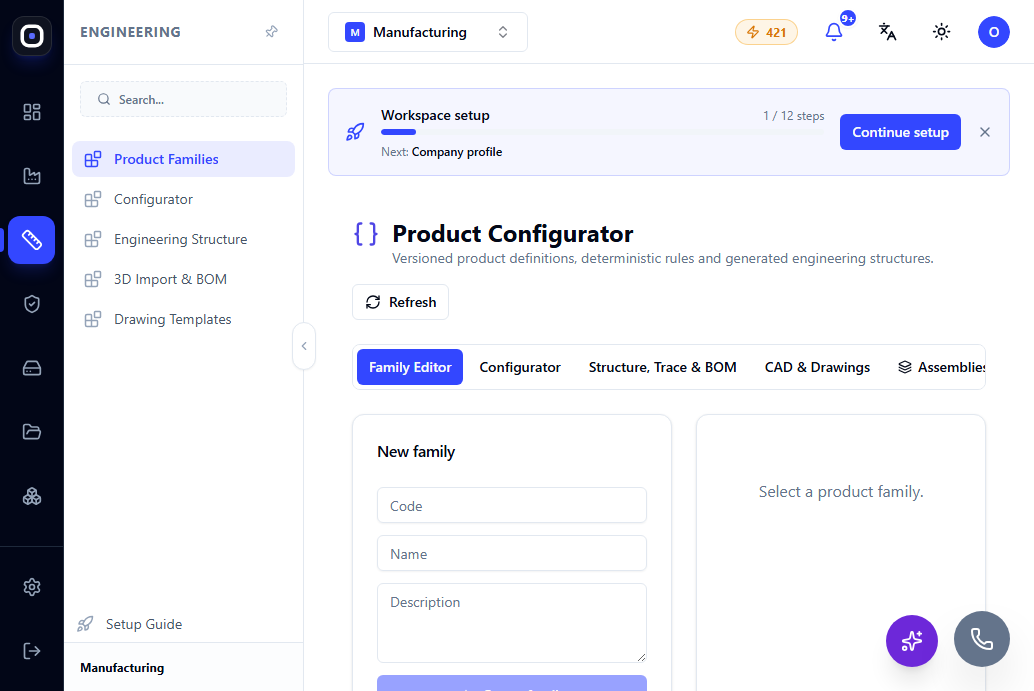
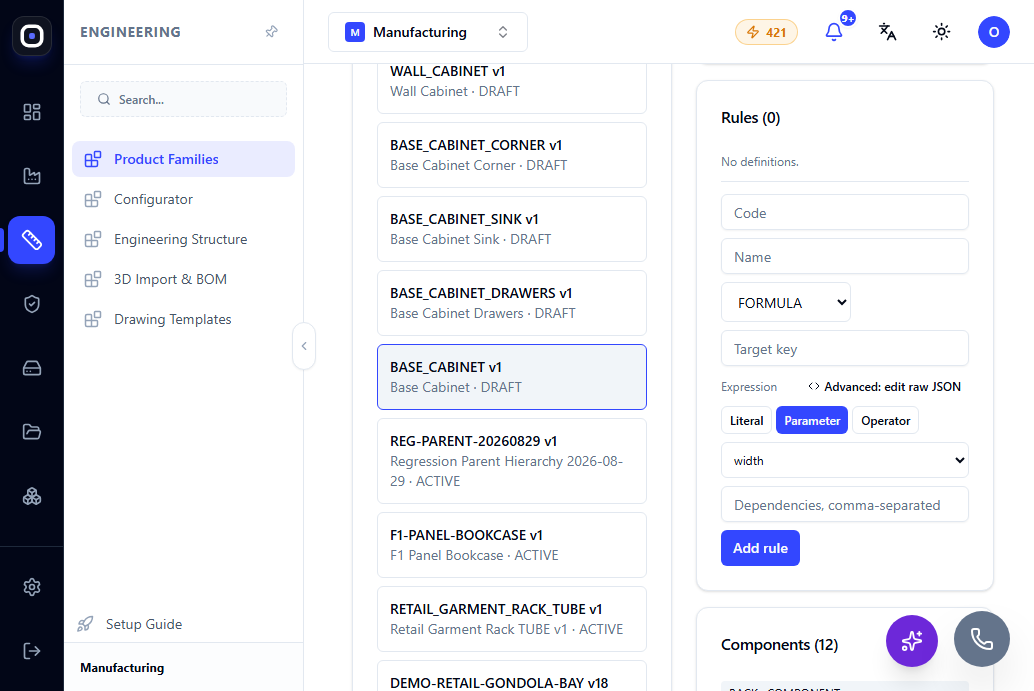
Page: Engineering → Product Families, Family Editor tab (/erp/engineering) — the entire section is called Product Configurator: "Versioned product definitions, deterministic rules and generated engineering structures".
A Product Family is the basic entity of the engineering module: a parametric description of a product from which an unlimited number of specific configurations can be generated. For example, the real BASE_CABINET ("Base Cabinet") family from the Kitchen Solution Pack has 22 parameters (width_mm, height_mm, depth_mm, front_type, has_shelves, shelf_count, door_count, etc.) and 12 components (BACK, SIDE_LEFT/SIDE_RIGHT, SHELF_1, assemblies CABINET_ROOT, FRONT_SET, HARDWARE_SET) — each specific kitchen cabinet being one configuration.
Creating a Family
A new family is created with a unique code (short technical identifier), name, and optional description. After creation, the family gets its first version — versioning allows the design to evolve without breaking already released configurations tied to previous versions.
Family Versions
When a product's design changes significantly (new parameters, structural changes), a new version of the family is created, rather than editing the existing one "on the fly". This is directly related to how the platform ensures that already released production orders are not affected by later design changes — see What happens when an engineer changes a design.
Releasing a Family
Until a family is released, it is considered a DRAFT — available for editing, but not for use in actual configurations/orders. A release fixes the family definition as "ready for production" (ACTIVE). This action is different from publishing — publishing makes the family available in the public configurator for customers, while releasing only fixes internal readiness.
Presentation Settings
Each family has display toggles for tabs — whether to show the engineering output (showEngineeringOutput), BOM tab (showBomTab), drawings tab (showDrawingsTab), and manufacturing tab (showManufacturingTab). This allows keeping the interface simple for teams that don't need all tabs at once.
Composite Families: Assemblies and Projects
In addition to single parametric products, the Product Configurator has separate tabs for Assemblies (composite products made of several components/members) and Projects — for cases where the final result is not a single product, but a kit or an assembly of several configurations positioned relative to each other. Composite structures have their own BOM preview and can release the production BOM for all members at once.
Industry Packs at the Family Level
Each family can have associated Industry Packs (added/removed at the family level) — this affects which typical materials, tolerances, and terminology are offered when configuring that specific product. The general principle is described in the article Industry Packs.
Next Step
To turn a family into a specific product — go to Product Configurations and Variants.